
1
Take a photo
Open PhotoNote, hit Take Photo or pick one from your library.
You know the feeling: you scroll through your camera roll and find a photo of some random object, a sofa in a Swedish furniture store, a detail of a construction site, or something you spotted on your last trip - and you have absolutely no idea what it actually was or what you wanted to remember. PhotoNote puts an end to that.
For iOS & Android
Open PhotoNote, hit Take Photo or pick one from your library.
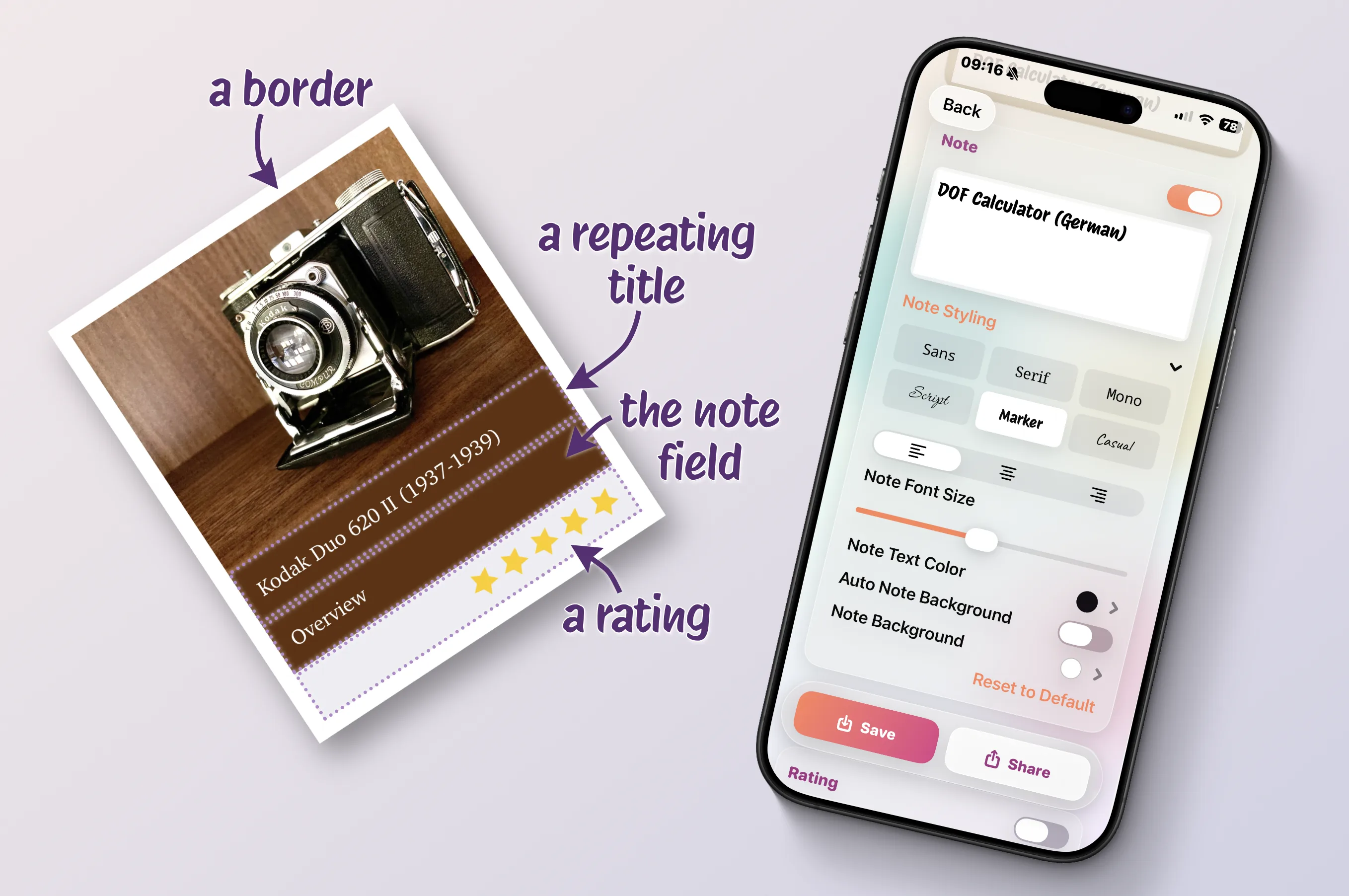
A title, a quick note, a rating - whatever you need to remember.
Ready to send it, to save it, to post it - or just to never forget it!
Easily find the image again with your gallery's search function without opening the app.
Your note is now a part of your photo,
visible wherever the photo goes.
Make it yours
From simple notes to polaroids with handwritten memories - it's up to your imagination*
*as long as the app supports it
Quick documentation on-site. Job, room, date - forever part of the photo and easily found again.
Label every find on the trail. Build your own little field guide.
Instant field notes for your thesis. No more guessing which sample was which.
Capture the moment AND the story behind it.
The wine you liked. The shelf number. The thing-you-want-to-remember.